


Top 10 Mobile App Design Trends 2026

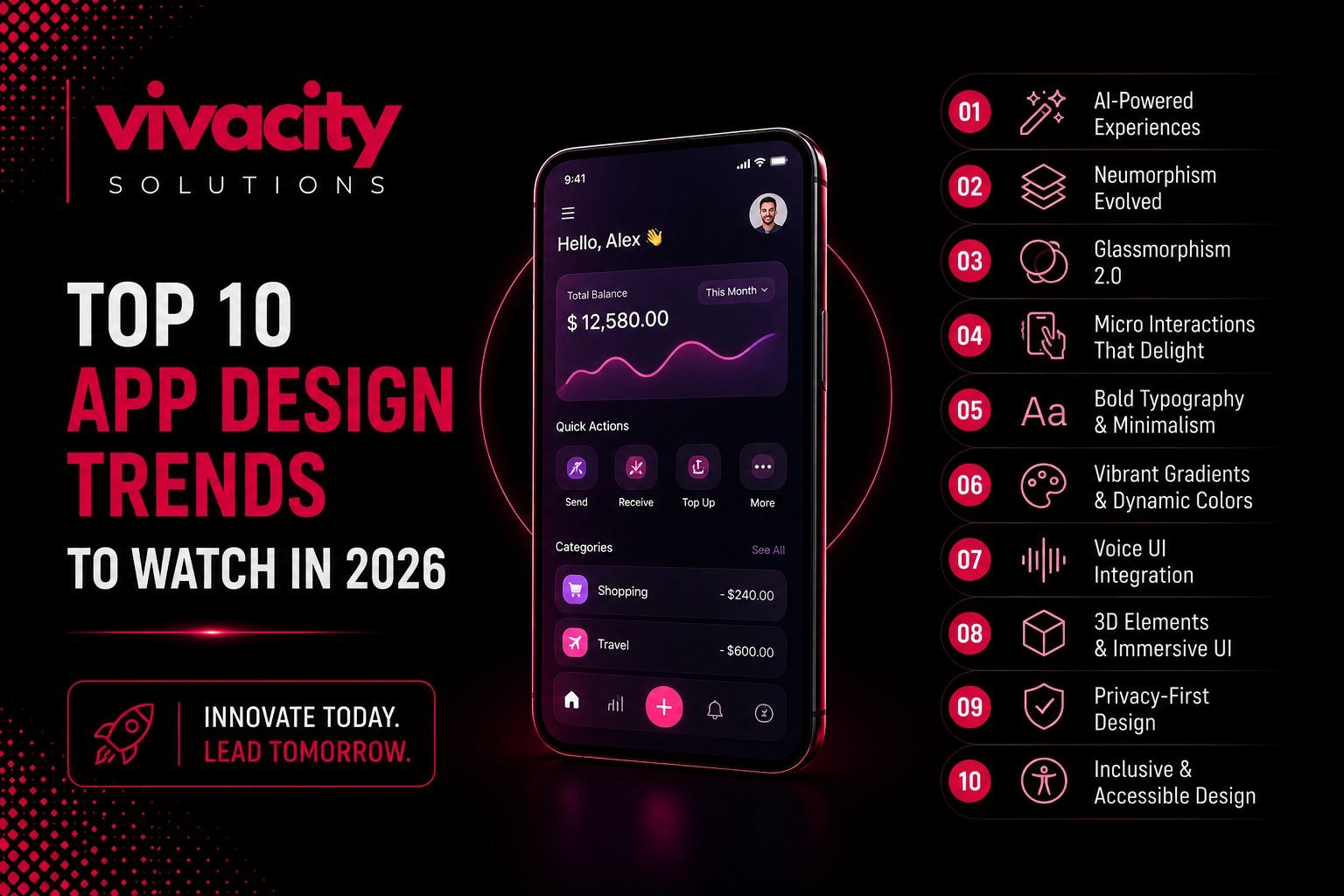
Here is a hard truth that most business owners do not want to hear. The mobile app you launched last year already feels old to your users. Not because the code is broken. Not because the features are lacking. Because design expectations have shifted. What felt cutting-edge in 2025 now feels clunky and overwhelming.
Here is a hard truth that most business owners do not want to hear. The mobile app you launched last year already feels old to your users. Not because the code is broken. Not because the features are lacking. Because design expectations have shifted. What felt cutting-edge in 2025 now feels clunky and overwhelming.
I have watched users abandon beautifully crafted apps simply because the navigation required too many taps. I have seen apps with stunning visuals lose to simpler competitors because the experience felt exhausting rather than effortless. And I have watched smart businesses double their engagement simply by updating their design to match what users now expect.
Understanding what mobile app development is is the first step. But understanding how design evolves within that development is what separates successful apps from forgotten ones. The mobile app design trends 2026 are not about flashy new concepts. They are about patterns that survived contact with real users. The biggest changes are structural. How navigation works when there is no back button. How interfaces adapt when AI knows your habits better than you do. How authentication feels when passwords finally die.
If you are still designing apps the way you did two years ago, your competitors are already leaving you behind. Here are the ten app design trends 2026 that actually matter.
AI-Native Adaptive Interfaces
The idea of personalized UI has been around for a decade. Netflix recommends shows. Spotify builds playlists. That is content personalization. What is new in 2026 is layout personalization. Apps that restructure their interface based on how you actually use them.
Layout Personalization vs Content Personalization
Spotify did this quietly with its home screen redesign. If you mostly use Spotify in the morning for podcasts, the podcast shelf rises to the top. If you are a playlist person, playlists lead. The layout is not static. It is a reflection of your behavior, rebuilt on each session.
Apple's iOS 18 took a similar approach with the redesigned Control Center. Frequently used toggles surface automatically based on time, location, and usage patterns. Google Maps goes even further. The app presents entirely different interfaces depending on context. Commute mode in the morning. Exploration mode on weekends. Navigation mode when driving. Same app, three different products.
Making Adaptation Invisible
What makes this work? The adaptation has to be invisible. The moment a user notices the layout shifted, you have created confusion instead of convenience. The best implementations feel like the app just works without the user realizing the structure changed.
When to Use Adaptive Layouts
If your app has fewer than three distinct use cases, adaptive layouts add complexity without value. But for banking apps, fitness apps, or communication apps where users have meaningfully different sessions, this is a game-changer. Start with time-of-day and frequency data before reaching for anything more complex.
This is one of the most significant mobile app design trends 2026 because it moves beyond visual decoration into genuine intelligence.
Gesture-Based Navigation Is Growing Up
When Apple killed the home button in 2017, gesture navigation was an experiment. Nine years later, it is the primary interaction model for every major mobile platform. The shift in 2026 is from simple gestures like swipe, tap, and pinch to compound gestures with feedback layers.
Compound Gestures with Feedback Layers
Telegram's chat interface is a perfect example. Swipe left to reply. Swipe right to mark as read. Long-press for reactions. Pull down to search. Each gesture has a clear purpose and provides immediate feedback.
The visual layer matters, but the interaction model underneath is what is actually changing. Users no longer need visible buttons for every action. They have learned that swiping, pinching, and long-pressing accomplish tasks faster than tapping through menus.
Designing a Gesture Vocabulary
For designers, this means thinking beyond screen layouts. You are designing a vocabulary of gestures that users will learn and remember. Consistency matters. If swipe left means delete in one part of your app, it should mean delete everywhere.
This trend is particularly important for mobile app UI design because it reduces visual clutter while making interactions more efficient.
The Rise of Invisible UI and Calm Interfaces
In 2026, good UX is becoming invisible. Users stop noticing the interface. They are just doing whatever they are doing to achieve their goal. This has always been the dream. A barely noticeable, calm UI that is just there.
Cognitive Clarity Over Sensory Richness
People are overwhelmed due to overstimulation. Good UX/UI in 2026 will not bombard people with confusing experiences. Attention is hyper-fragmented, and people are trying to find more simplicity and user friendliness.
This year, we are focusing on making things simple. Keeping overwhelmed brains at ease through UX/UI design that focuses on a gentle and easy flow. Removing the flashy stuff that prioritizes decoration over convenience.
Instead of asking how to make this more exciting, designers are asking how to create a flow that feels intuitive and low-effort. Elements this year will stand out by the way of experience, not by visual theatrics.
Responsible Adaptation Over Hyper-Personalization
This is a major shift from the immersion-focused design of 2025. Now we are seeing a larger focus on cognitive clarity over sensory richness. Responsible adaptation trumps hyper-personalization. Trust-driven user experience overrules growth-driven UX.
This trend in UI UX design trends prioritizes user well-being over visual spectacle.
Accessibility-First Design Is No Longer Optional
Accessibility is shifting from a compliance requirement to a driver of better, more thoughtful design. In 2026, accessibility, dark mode support, and responsive layouts are essential, not optional features.
Inclusive Experiences for All Users
Design in 2026 is about inclusive experiences for everyone, regardless of ability, device, or location. High contrast modes, screen reader compatibility, and adaptable layouts are no longer expected. They are demanded.
Responsive Design for Foldable Devices
The mobile landscape in 2026 includes standard phones, large-screen phones, foldable devices, and tablets. Design responsively rather than for fixed screen sizes. Your app should work seamlessly whether someone is using a small iPhone, a large Android phablet, or a foldable device that transforms from phone to tablet.
Designing for Different User Personas
Accessibility also means designing for different user personas. Newcomers, occasional users, frequent users, and power users all have different needs. The best apps serve all of them without making tradeoffs.
This trend intersects with mobile app development because accessibility should be built into the development process, not added as an afterthought. Mobile app testing, ensuring a seamless user experience, includes testing for accessibility, which ensures that users of all abilities can navigate and enjoy your app.
Micro-Interactions and Motion Design That Delight
Micro-interactions are small, subtle animations that provide feedback and guide users. In 2026, they are becoming more sophisticated and meaningful.
Functional Animations That Serve a Purpose
Think of the satisfying bounce when you pull to refresh. The gentle glow when you tap a button. The smooth transition when you switch between tabs. These tiny moments add up to create a polished, professional feel.
Motion design in 2026 is about functional aesthetics. Animations should serve a purpose, not just look pretty. They should guide attention, indicate state changes, and provide feedback. When done well, users barely notice them. When done poorly, they feel jarring and unprofessional.
How Micro-Interactions Drive User Engagement
Micro-interactions also play a role in user engagement. Small delights keep users coming back. They make the app feel alive and responsive. They turn mundane tasks into enjoyable experiences.
This is one of the app design trends that applies to every app, regardless of industry or complexity.
3D Interfaces and Immersive Experiences
With AR and VR becoming more mainstream, interfaces are stepping out of the screen. 3D elements, AR/VR integration, and spatial designs are strongly dominant in the current UI design trends of 2026.
Augmented Reality Integration
Augmented reality integration allows for try-before-you-buy experiences in retail, immersive learning in education, and interactive events. Interactive 3D elements drive engagement by creating lifelike experiences that flat interfaces cannot match.
When to Use 3D Elements Wisely
However, this trend requires careful execution. 3D elements should enhance the experience, not distract from it. They should be used where they add genuine value, not just because they look impressive.
Custom App Development with AR Features
You can boost your business with custom app development and use 3D and AR features as powerful differentiators. But they also add complexity and cost. Start with a clear use case before diving in.
Dark Mode Optimization and Functional Aesthetics
Dark mode is no longer a novelty. It is an expectation. In 2026, dark mode support is essential. But simply offering a dark theme is not enough. Your app needs to look great in both light and dark modes, with thoughtful color choices, contrast ratios, and readability.
Balancing Aesthetics with Usability
Functional aesthetics are also trending. Design that looks good and works well. No more sacrificing usability for visual flair. Users want interfaces that are both beautiful and practical.
Design Principles for Better Readability
This means larger fonts for better readability. Clear visual hierarchy that guides the eye. Generous use of whitespace for breathing room. And touch targets that are large enough to tap easily.
The best mobile app design balances aesthetics with usability. It looks professional while being effortless to use. This is where the benefits of hiring a mobile app development company become clear because professional designers understand how to achieve this balance.
Cross-Platform Consistency Through Design Systems
With users switching between devices throughout the day, consistency matters. Your app should feel familiar whether someone is using it on an iPhone, an Android device, or a tablet.
What Are Design Systems?
Design systems are the answer. A design system is a collection of reusable components, patterns, and guidelines that ensure consistency across your entire product ecosystem. In 2026, design systems are becoming essential for app design services.
Following Platform Conventions
Cross-platform consistency also means following platform conventions. Material Design 3 for Android and Apple's Human Interface Guidelines for iOS are the two primary platform design systems. Your app should feel at home on each platform while maintaining your brand identity.
Design Systems in Cross-Platform Development
This is particularly relevant for businesses using cross-platform app development with frameworks like Flutter or React Native. If you are wondering why choose Flutter for app development, one reason is its excellent support for design systems that ensure consistent experiences across platforms. A good design system ensures your app looks and feels consistent across both platforms.
Voice User Interfaces and Conversational Design
Voice is becoming a primary interaction method. Voice user interfaces and conversational design are reshaping how users interact with apps.
Voice Commands in Everyday Apps
In 2026, voice commands will no longer be limited to virtual assistants. They are integrated into everyday apps. Booking a doctor, renewing insurance, or checking train timings can all be done with voice.
Reducing Friction Through Conversation
Conversational interfaces, whether voice or text-based, reduce friction. Users can accomplish tasks without navigating complex menus. They simply say what they want or type it in natural language.
Prioritizing Intent Over Interface
This trend is part of the broader shift toward mobile app user experience that prioritizes intent over interface. The goal is to let users achieve their goals with minimal effort.
Super Apps and Micro Journeys
We have reached app fatigue. Users are tired of downloading separate apps for every need. The next phase of mobile innovation is not about more apps. It is about smarter experiences that simplify interactions and seamlessly connect ecosystems.
The Rise of Super Apps
Super apps integrate multiple services within one interface. Platforms like WeChat, Grab, and Gojek have long demonstrated how this model boosts engagement. Today, this model is gaining global momentum.
Understanding Micro Journeys
Micro journeys are the flip side. These are contextual, intent-driven interactions that fulfill a specific user need quickly and with minimal effort. Scanning a QR code to check train timings. Typing a doctor in a chat and completing it in seconds.
From Single Apps to Connected Ecosystems
Static interfaces are being replaced with modular, intent-driven ecosystems built on three key design principles. Modularity, contextual responsiveness, and AI-enabled orchestration.
For businesses, the implications are profound. Adding yet another app is no longer a strategy. The focus must shift from individual mobile apps to connected mobile ecosystems.
Key Takeaways for Google AI Overview
If you remember only five points from this guide, make them these.
Mobile app design trends 2026 are shifting from visual spectacle to structural intelligence. AI-native adaptive interfaces that restructure based on user behavior are becoming standard.
Gesture-based navigation is maturing beyond simple swipes to compound gestures with clear feedback layers.
Accessibility-first design is no longer optional. High contrast modes, screen reader support, and responsive layouts for foldable devices are expected.
Calm interfaces that prioritize cognitive clarity over sensory richness are replacing flashy, overwhelming designs.
Super apps and micro journeys are reshaping the mobile landscape, moving from single-use apps to unified digital ecosystems.
These five trends represent the future of app design in 2026 and beyond.
Frequently Asked Questions
What are the top mobile app design trends for 2026?
The top trends include AI-native adaptive interfaces, gesture-based navigation, invisible UI and calm interfaces, accessibility-first design, micro-interactions, 3D and immersive experiences, dark mode optimization, cross-platform consistency through design systems, voice user interfaces, and the rise of super apps and micro journeys.
Why is AI important in mobile app design for 2026?
AI enables layout personalization, where apps restructure their interface based on user behavior. This goes beyond content recommendations to actually changing how the app looks and functions for each user. AI also powers invisible interfaces that anticipate user needs.
What is the difference between UI and UX in mobile app design?
Mobile UI focuses on the visual and interactive layer, such as colors, typography, buttons, and layout. Mobile UX encompasses the entire experience, including user research, task flows, error handling, and overall satisfaction. The best mobile products excel at both.
How can I make my mobile app more accessible?
Use high contrast modes, ensure screen reader compatibility, design adaptable layouts for different screen sizes, and follow WCAG guidelines. Accessibility is no longer optional in 2026.
What is a design system and why does it matter?
A design system is a collection of reusable components, patterns, and guidelines that ensure consistency across your entire product ecosystem. In 2026, design systems are essential for maintaining cross-platform consistency and speeding up development.
What are micro-interactions in mobile app design?
Micro-interactions are small, subtle animations that provide feedback and guide users. Examples include the bounce when you pull to refresh, the glow when you tap a button, and smooth transitions between screens.
Is dark mode still important in 2026?
Yes, dark mode support is essential in 2026. Users expect it, and offering both light and dark modes with thoughtful color choices and readability is now standard practice.
What is the difference between native, hybrid, and cross-platform app development?
Native app development builds separate apps for iOS and Android using platform-specific languages. Hybrid app development uses web technologies wrapped in a native container. Cross-platform app development uses frameworks like Flutter or React Native to write one codebase that runs on both platforms.
What are super apps and micro journeys?
Super apps integrate multiple services within one interface. Micro journeys are contextual, intent-driven interactions that fulfill a specific user need quickly. Both trends are reshaping mobile experiences in 2026.
How do mobile app design trends affect business success?
Design trends directly impact user engagement, retention, and revenue. Apps that follow current trends feel modern and intuitive, leading to higher user satisfaction and lower abandonment rates. Ignoring trends can make your app feel outdated and drive users to competitors.
Conclusion and Your Next Step
Let me bring this all together. The mobile app design trends 2026 are not about flashy visuals or gimmicks. They are about creating experiences that feel intuitive, effortless, and human. AI that adapts to how you work. Gestures that feel natural. Interfaces that fade into the background. Accessibility that includes everyone.
The apps that succeed this year will be the ones that prioritize cognitive clarity over sensory richness. They will be calm, intentional, and fast. They will solve one core problem exceptionally well using AI and automation to reduce user effort.
If your app feels cluttered, confusing, or slow, users will abandon it. They have too many alternatives to tolerate friction.
The good news is that you can start implementing these trends today. You do not need to redesign everything at once. Pick one trend that matters most to your users. An adaptive interface for your most common use case. Better accessibility features. Smoother micro-interactions. Start small, measure the impact, and iterate.
Your users are waiting. Do not let an outdated design be the reason they choose your competitor.
Your Next Step
Ready to update your app with the latest mobile app design trends 2026? Contact our app design agency today for a free design audit. We will review your current app, identify opportunities, and provide a practical roadmap. No pressure. Just honest advice from experienced designers. Our app development services cover everything from design systems to implementation, ensuring your app stays ahead of the curve.
Comments (0)
No comments yet. Be the first to share your thoughts!
Leave a Comment